The 5 Busywork Tasks AI Agents Should Be Doing for Your Team Right Now
Your team is losing hours every week to tasks an AI agent could handle. Here are the five we'd automate first — and why starting with just one changes everything.
Every business has invisible busywork — the repetitive, low-stakes tasks that don't move the needle but somehow eat half the day. Data entry. Scheduling. Status reports. Email sorting. None of it requires a senior decision-maker, yet it ends up on their desk anyway.
In 2026, the teams pulling ahead aren't the ones hiring more people to handle busywork. They're the ones handing it off to AI agents that never get distracted, never take a long lunch, and never forget to CC the right person. Here are five tasks you should be automating right now.
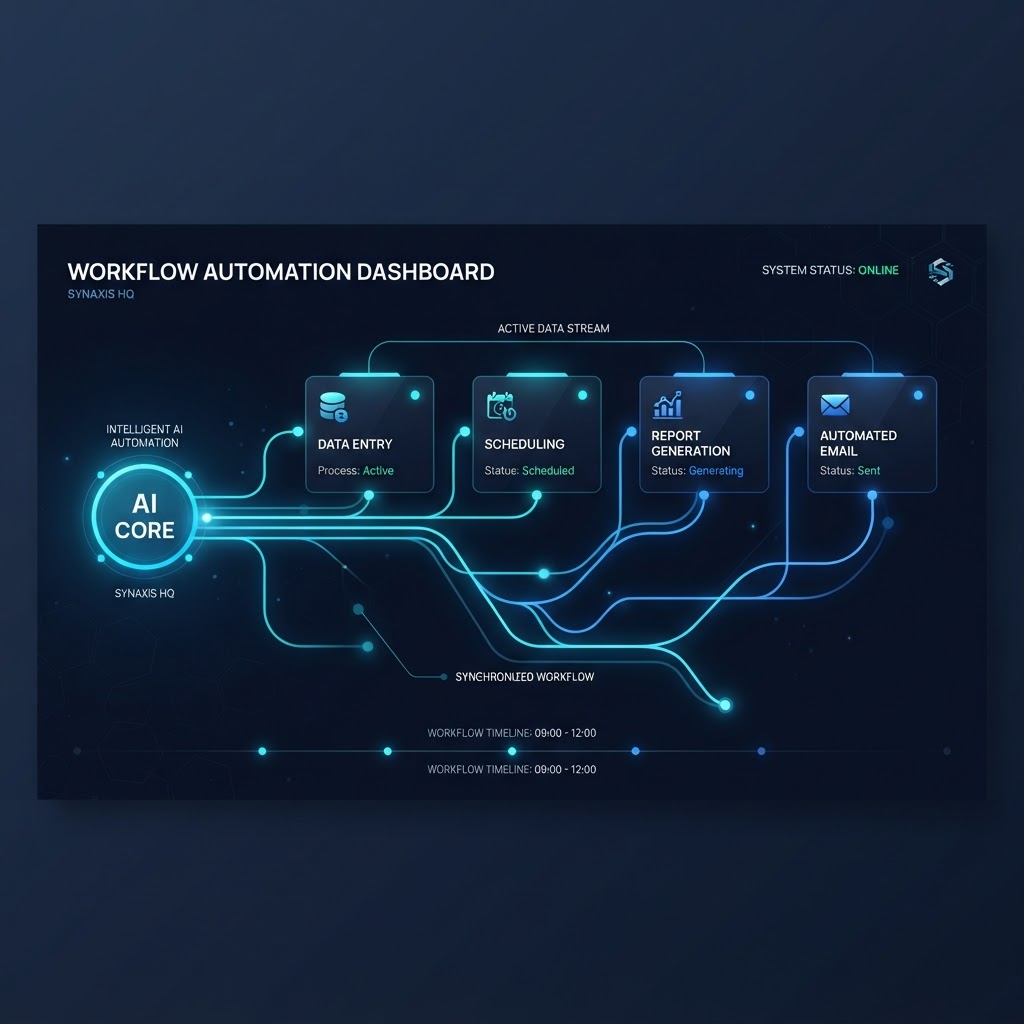
1. Data Entry and Record Updates
This is the easiest first target. Every time a customer fills out a form, calls in, or sends an email, someone on your team is probably copying that information into a CRM, a spreadsheet, or a job management system. It's tedious, error-prone, and the first thing that gets skipped when things get busy.
An AI agent can capture that information the moment it comes in — from a web form, a phone call transcript, or an email — and write it directly into your CRM with the right fields populated. No double entry. No typos. No leads sitting in an inbox for three days because nobody had time to log them.
The beauty of starting here is that the inputs and outputs are clear: information comes in, a record gets updated. If something goes wrong, it's easy to spot. That makes it a low-risk way to build trust in the system before you automate anything more complex.
2. Scheduling and Calendar Coordination
Scheduling eats more time than most owners realize. It's not just booking the appointment — it's the back-and-forth texts to find a time that works, the rescheduling when something comes up, the reminders to reduce no-shows, and the internal coordination to make sure the right crew is assigned.
An AI agent handles all of it. It reads your calendar in real time, offers available slots to the customer, books the appointment, sends a confirmation, fires off a reminder 24 hours before, and reschedules automatically if the customer replies with a conflict. Your team stops playing phone tag and starts showing up to jobs that are already locked in.
This is one of those tasks where the ROI is immediate. Every no-show you prevent and every hour of back-and-forth you eliminate goes straight to the bottom line.
3. Auto-Generated Status Reports
Somewhere in your operation, someone is compiling a status report by hand. Maybe it's a weekly summary of jobs completed, leads generated, revenue booked, or tasks outstanding. They're pulling numbers from three different systems, pasting them into a document, formatting it, and sending it off — every single week.
An AI agent can generate that report automatically. It pulls the data from your CRM, your calendar, your payment processor, and your project management tool, assembles it into a clean summary, and delivers it to the right people on schedule. No human touches it unless they want to add commentary.
The real win isn't just the time saved — it's consistency. A hand-compiled report gets skipped during busy weeks. An automated one shows up every Friday at 8 a.m., whether the office is slammed or quiet. That reliability changes how your team makes decisions, because they always have current numbers in front of them.
4. Email Triage and Routing
A shared inbox is where efficiency goes to die. A customer sends a question, it sits there for two days because nobody's sure who should answer it, and by the time someone responds, the customer has already called a competitor. Multiply that by fifty emails a week and you've got a serious bottleneck.
An AI agent can read incoming emails, categorize them by intent — new lead, support request, billing question, scheduling change — and route each one to the right person or department instantly. It can also draft a response for common inquiries and flag anything urgent so it doesn't get buried.
Nothing sits in a shared inbox waiting for someone to notice it. The right person gets the right message within seconds, and your customers stop feeling like they're shouting into a void.
5. Start With One Task, Not a Full Overhaul
Here's the part most people get wrong: they try to automate everything at once. They map out a dozen workflows, buy three tools, and attempt a full department overhaul in a weekend. It's overwhelming, something breaks, and the whole initiative gets shelved as "too complicated."
The right approach is to pick one task — ideally data entry or scheduling, since they're the most predictable — and automate just that. Watch it run for two weeks. Let your team get comfortable with it. Fix the edge cases. Then add the next one.
This is how you build momentum without creating chaos. Each automated task frees up time that makes the next automation easier to implement and test. By the end of a quarter, you've quietly replaced dozens of manual hours with a system that runs itself — and your team is spending their time on work that actually requires a human.
If you're wondering where to start, that's exactly what we help with. We look at your operation, identify the highest-impact task to automate first, and build it into a system that grows with you. See where Jethro fits into your operations.