Client Onboarding Shouldn't Take a Week — How Automation Shortens It
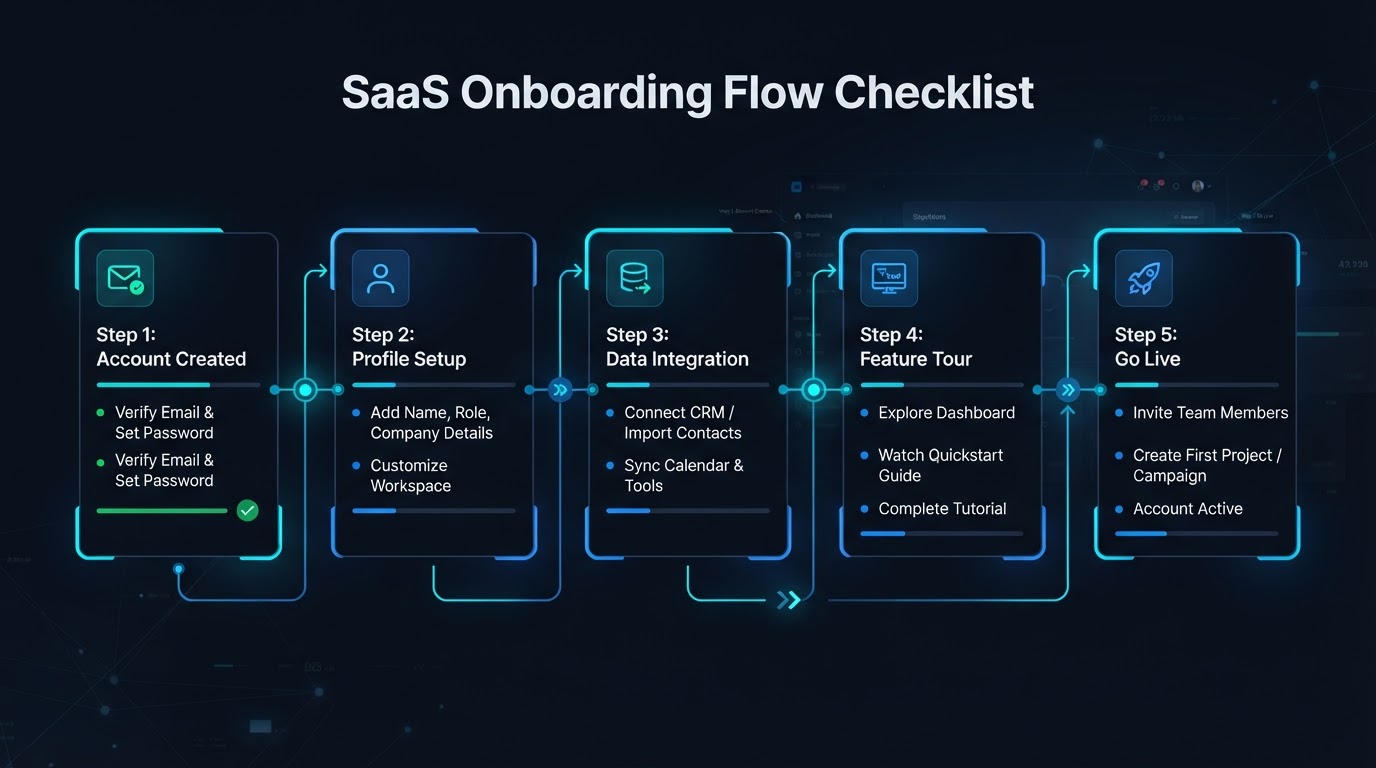
First impressions are made in the first 48 hours, not the first meeting. Here's how automated intake, document collection, and status updates compress onboarding from a week to a day.
Here's a scenario every service business knows too well: a client signs on a Monday, excited to get started. By Wednesday, they've emailed three times asking what happens next. By Friday, they're wondering whether they made the right choice. Not because anything went wrong — because nothing happened at all. Their forms are sitting in an inbox. Their documents haven't been requested. Nobody has told them where they are in the process.
That silence is the problem. And it's almost entirely fixable with automation that's already available to small businesses today.
1. Intake Forms That Route Themselves
The traditional onboarding flow goes like this: you send a client a form, they fill it out, it lands in a shared inbox, and someone manually reads it, decides where it goes, and forwards it to the right person. If that person is busy — and they're always busy — the form sits there for a day or two. The client assumes nothing is happening.
An automated intake form does the routing the moment it's submitted. A client selects their project type, and the form routes itself to the right team, creates a record in your CRM, assigns the right tasks, and fires off an acknowledgment to the client — all in the same second. Nobody has to triage it. Nobody has to remember to forward it. The form does the work of a coordinator without the coordinator.
This is the single biggest time-saver in onboarding, because it removes the handoff. The moment a client hits submit, the work has already started. That's a very different first impression than "we'll get back to you within 48 hours."
2. Automated Document Collection and Reminders
After intake comes the part that drags on the longest: collecting documents. Insurance certificates, signed agreements, ID verification, site photos, scope-of-work approvals — every business has its list. And every business has the same problem: clients forget, you follow up manually, they forget again, and a week disappears.
Automation handles this end to end. The moment a client is onboarded, the system sends a personalized request for every document it needs, with a secure upload link. If a document isn't received within a set window — two days, three days, whatever you decide — the system sends a polite, automatic reminder. No one on your team has to track who's missing what. The system keeps a running checklist and nudges until it's complete.
The difference is night and day. Instead of chasing clients one by one, your team gets a clean notification when everything's in. The bottleneck moves from "we're waiting on the client" to "we're ready to start."
3. Status Notifications So the Client Isn't Left Wondering
Most onboarding delays aren't delays at all — they're communication gaps. The work is moving, but the client can't see it. So they assume it isn't. That assumption is what erodes trust in the first week, long before any actual service has been delivered.
Automated status notifications close that gap. When a form is received, the client gets a confirmation. When their documents are approved, they get a message. When their project is scheduled, they get the details. Each step of the onboarding flow triggers a short, automatic update — by text or email — so the client always knows exactly where they stand.
You're not writing these messages. The system is. You're just configuring the milestones once, and the notifications fire on their own from there. The result is a client who feels like things are moving fast — because they are, and because they can see it.
4. First Impressions Are Made in the First 48 Hours
Here's the part that's easy to underestimate: a client's impression of your business is largely set in the first 48 hours after they sign. Not after the first meeting. Not after the first deliverable. In those first two days, when they're deciding whether they made the right choice.
If those 48 hours are filled with prompt confirmations, clear next steps, and a sense that a system is running behind the scenes, the client relaxes. They trust the process. They refer you to their neighbor. If those 48 hours are filled with silence, the client starts second-guessing — and no amount of great work later fully erases that early knot of doubt.
That's why onboarding automation isn't just about saving your team time. It's about engineering a better first impression, consistently, for every client, without anyone on your team having to remember to do it. The businesses that onboard in a day instead of a week aren't working harder. They've just removed the manual steps that turned a two-day process into a seven-day one.
If you're ready to compress your onboarding and stop losing clients to the silence in between, that's exactly the conversation we'd have. See a faster onboarding flow in action.